Why did the robot stop? · Part 2 of 8
The robot did exactly what it was told
Gerben Peeters4 min read
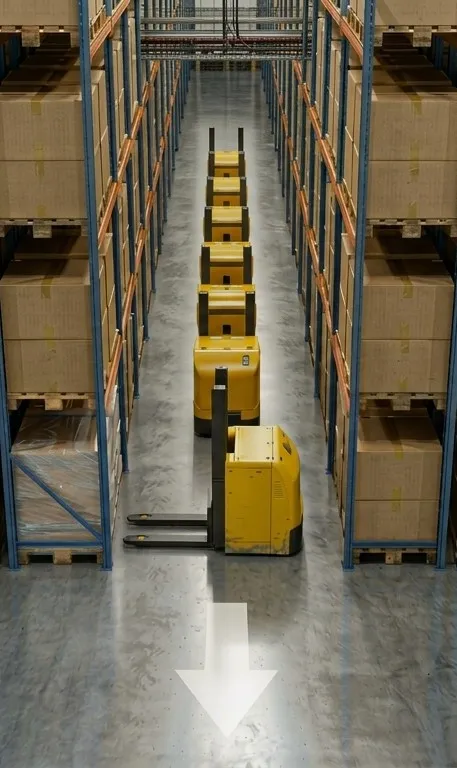
Early in the morning, a robot drives into an aisle, lowers its forks and stops. It cannot pick the pallet. Within minutes the robots behind it are queued up, and the WMS, the warehouse management system that hands out the orders, keeps sending work to the same aisle because, as far as it knows, nothing is wrong. Twenty minutes later an operator frees the pallet by hand and the flow starts again.
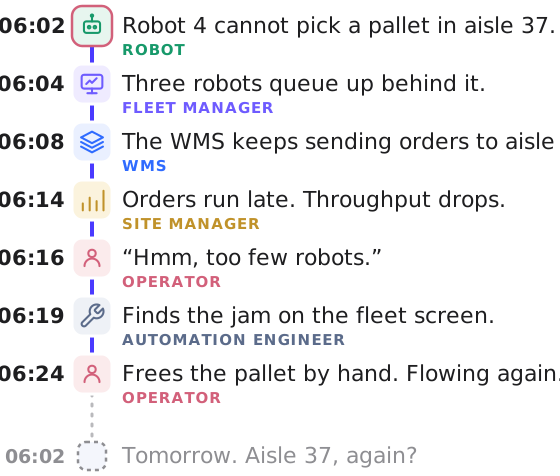
In the first post of this series we looked at that stop as a whole: everyone on site saw a true piece of it, and nobody saw all of it. This week we start taking it apart, with the player closest to it: the robot.
The robot is already a system of systems
From the outside, the autonomous forklift looks like one machine. But on the inside, it is already an orchestration of a bunch of components. Those parts come from different suppliers, talk to each other over different protocols, and each keeps its own record of what it did. The vendor’s work is to make them play as one robot, and a good vendor does that well.
Drawn out, as in the figure below, one robot is a page full of boxes and a handful of protocols. That matters for our stop in two ways. A stop can start in any of those boxes: a safety scanner that sees a strap hanging off the pallet, a navigation module that loses its position, a battery that drops below its threshold. Looking at the robot from further down the aisle, they all look the same: the robot is standing still. And the explanation sits in whichever box stopped first, in that box’s own words. Only the robot’s own software knows which one that was. Orchestrating data starts inside the robot, and the vendor does that part for you. The trouble starts where the robot’s data leaves the robot.
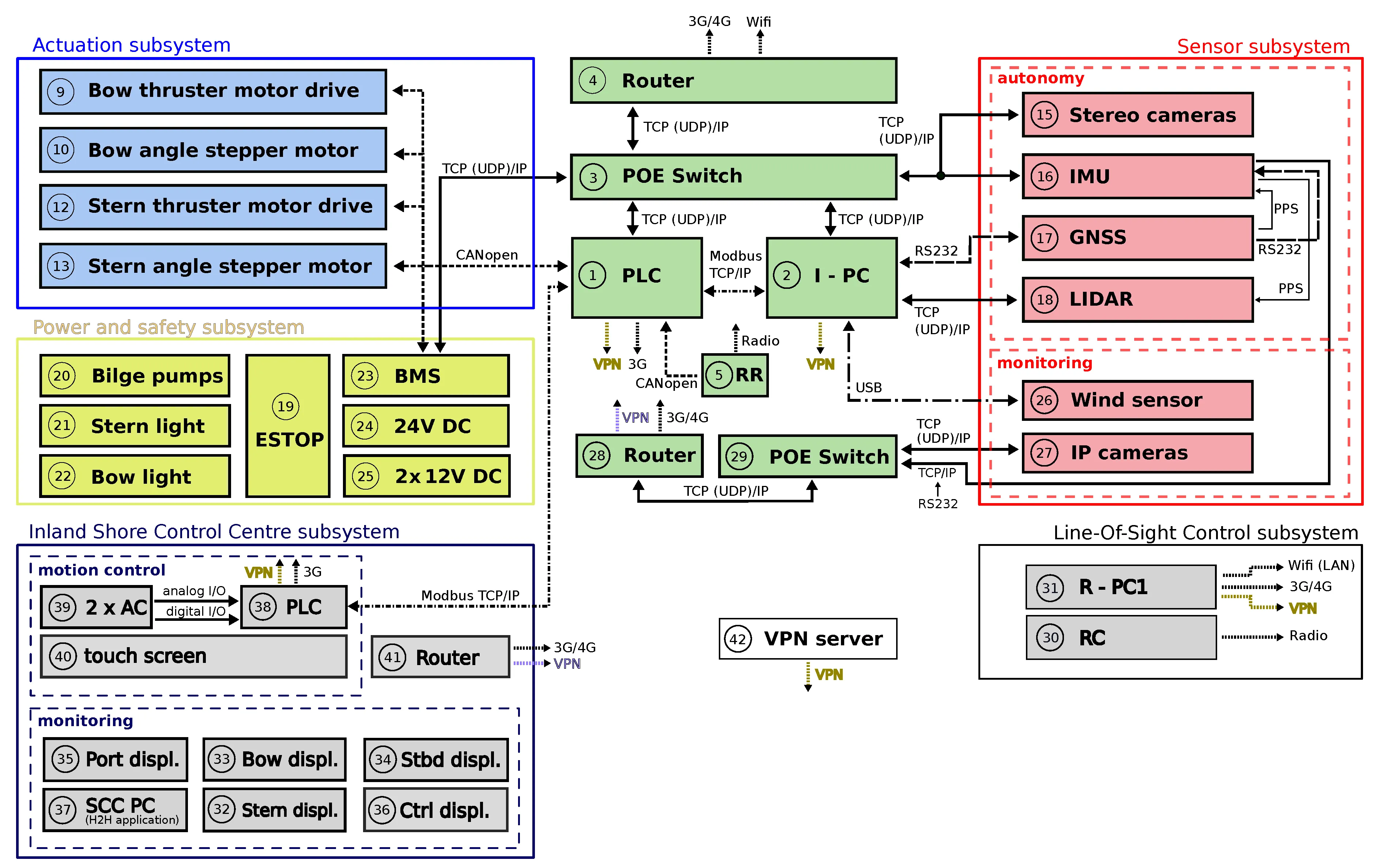
One autonomous vessel, drawn out: the figure is from our own work on unmanned inland cargo vessels before Mappalink, Peeters et al., Journal of Marine Science and Engineering, 2020. An autonomous forklift is not drawn differently.
The data is there: the robot logged why it stopped
Back to our forklift. Inside it, that orchestration worked: the vendor’s software knew which part had stopped it, and the robot did not fail silently. It saw that the load was not where it should be, refused to pick it, and logged why. From the robot’s side the job went well: it protected itself, the pallet and the people around it. The task failed, successfully.
The trouble is where that reason lives and how it is written. It sits in the robot’s own log or in the vendor’s fleet manager, as a code or a line meant for the engineer who commissioned the robot. The operator walking towards the aisle sees a robot that is not moving. The site manager sees a throughput graph that dips. Neither sees the sentence that would have told them what to do.
The reason sits on another network, in another language
Even the person who could read it may not get to it. The robots and the devices used to watch them, a computer in the office, a laptop, a tablet or a phone, often sit on different networks. The robot’s Wi-Fi was planned for the robot, the vendor’s fleet manager runs on a server on site or in the vendor’s cloud, and the office network is somebody else’s job. Logging into the fleet manager while standing next to the robot in the aisle may simply not work. The reason for the stop is there, and you don’t see it.
The place to read that reason is the vendor’s fleet manager, and every brand ships its own. Each does its job well for its own robots, and each is its own world with its own language. All similar, but all different. VDA 5050, the open interface between a fleet manager and its robots, draws the pair like this.
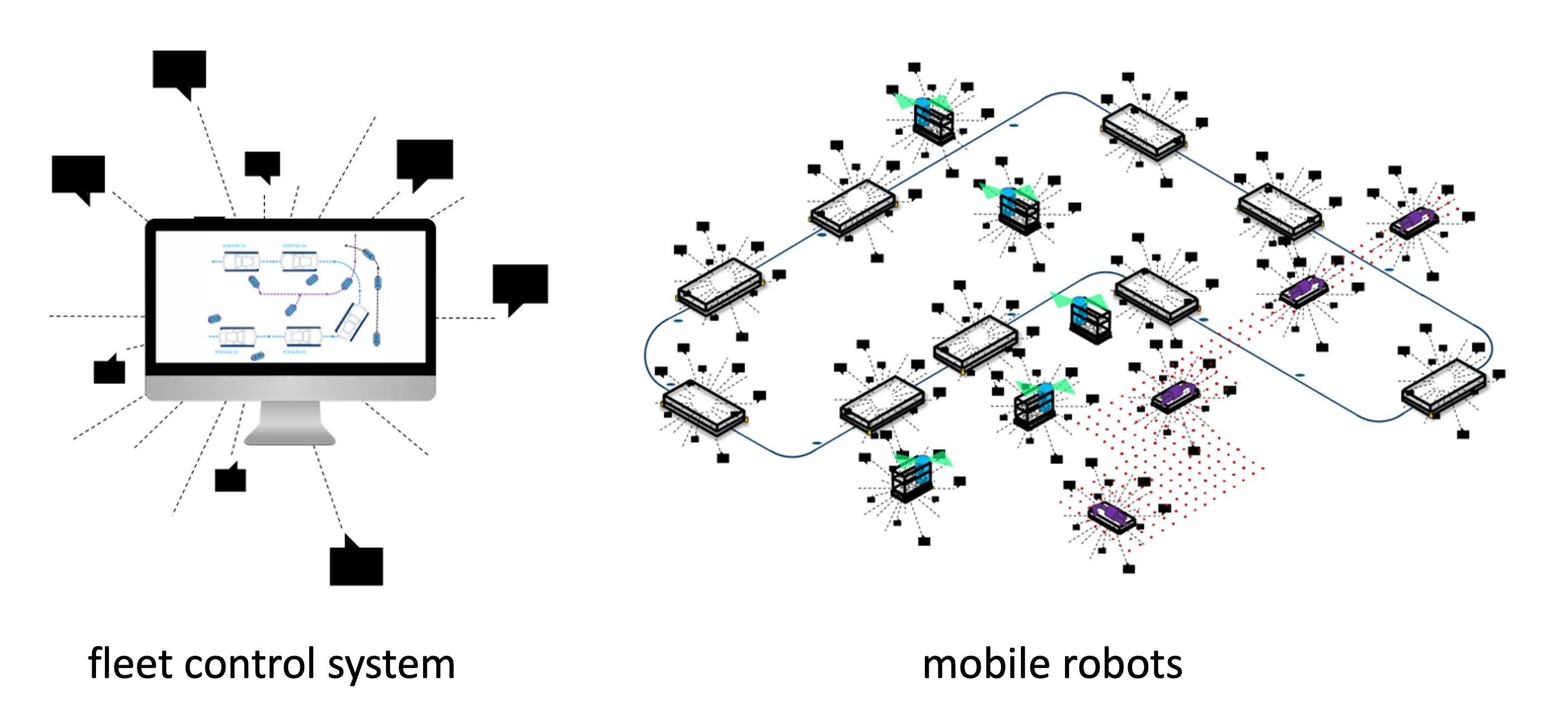
Figure from VDA 5050 (MIT licence).
For the robots, that is fine: the fleet manager knows its robots, their routes and their stops, and manages them well. What it does not know is the rest of the site. The WMS that keeps sending orders to the blocked aisle, a rack that moved last week, a customer that changed its pallets: none of that is in the fleet manager’s world, because it was built around the robot, not around the automation it is part of. Add a second brand, with a fleet manager of its own, and there are two such worlds on one floor, each with its own map and its own words for the same aisle.
Back to the stopped robot. Its fleet manager flags a load handling error, and the robot waits. Dig one layer down and it was the camera that refused the pick. One layer further, the camera saw something in front of the pallet’s fork pockets. So now we know what the stop was about. We still don’t know why it happened. Why was there something in front of the pallet? That answer is not in the robot, and not in its fleet manager either. Next week: the building the robot drives in, and the pallet.